01 / Record
Read eight of ten new words independently, then asked for help with the last two.
Make a bilingual chart in any of 28 languages. With a teacher account, keep the daily record and publish the updates you choose for families to read and respond to.
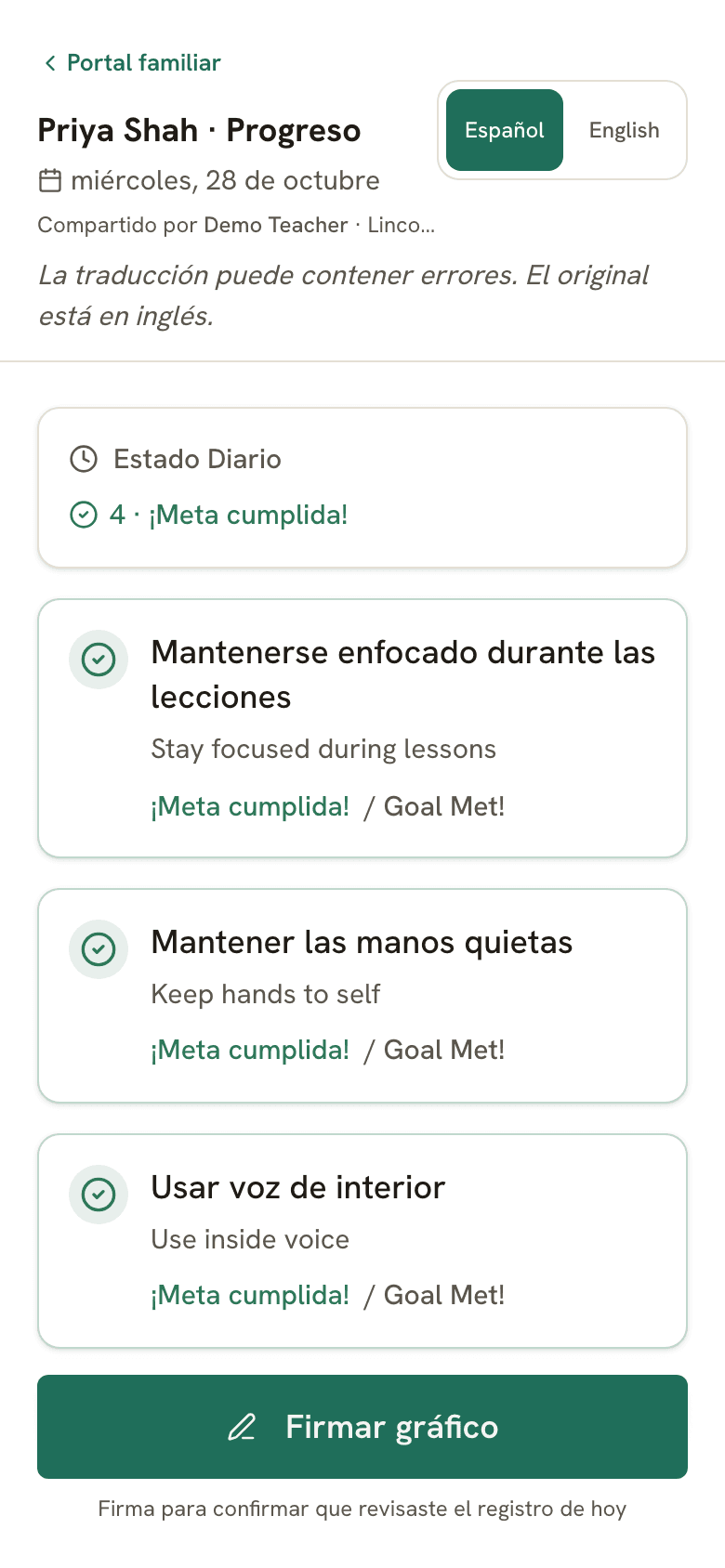
A fictional classroom moment
01 / Record
Read eight of ten new words independently, then asked for help with the last two.
02 / Review with the team
Keep the English observation, prepare the translation and check that the goal and support are clear. Ask for language help when accuracy matters.
03 / Choose what to share
The family reads the published update and can ask a question. Clear words and status labels carry the meaning alongside colors and icons.
Printable charts need no account. Keeping digital records and publishing family updates requires a teacher account.
Write in English, then translate with one click: charts, family updates, weekly summaries, and conference packet PDFs. Spanish, Chinese, Arabic, Vietnamese, Korean, and more, with the English kept alongside the translation for review.
Every printed chart has a QR code. Families scan it with their phone and see daily growth updates in their own language. No app to install, no login, no English required.
Print charts with goals in both English and the family's language side by side. Send the chart home in the student's folder so everyone is on the same page.
Families view the day's growth notes on their phone, see them in their language, and sign off digitally. The signature appears on your dashboard instantly.
Generate PDF progress reports with trend charts and data tables. Share with parents and teams to show growth over time, regardless of language barriers.
Track IEP goals with multiple measurement types. Goals in the library translate alongside the chart so bilingual families understand what's being measured.
Translated goal wording and explicit status labels explain what was recorded. Colors and icons provide additional cues; they do not replace the words or the family’s questions.
ESL specialists, classroom teachers, and case managers can work from the same student record, with access suited to their role.
28, including Spanish, Chinese, Arabic, Vietnamese, and more. Write goals and notes in English and translate the chart with one click.
No. A QR code opens a parent portal in the browser, where families view daily updates in their own language: no app, no account.
Yes. Translate the chart and print it bilingual, so the version in the student's folder is one the family can read.
Goals, growth notes, behavior updates, weekly family summaries, and conference packet PDFs all translate, so families can read the updates staff choose to share. Packet PDFs export bilingually, with each translation above the English original.
Not names. Evident removes the student's name before any note, summary, or packet text is sent for translation, you review the redacted text first, and names are restored on your device afterward.
Write goals in English, translate with one click, and let parents view daily evidence and sign off on their phone in their own language. Routine translations support communication; they do not replace the school’s interpreter or language-access arrangements.
For learning support case managers, MTSS coordinators & school leaders
Evident fits how teachers already work: quick daily notes become family summaries, timelines, and meeting-ready PDFs from the same workflow.
See the Solutions hub