IEP progress evidence, ready before every meeting
For learning support case managers. Evident keeps daily student-support notes connected to the records this job requires, without asking teachers to learn a second system.
Read 92 WCPM in a 1-minute probe, met the fluency target two sessions running.
Documentation that fights the people doing the work.
Re-typing IEP progress notes from scattered sources the night before a meeting.
Communication logs that live in email and disappear when staff change.
Accommodation records that drift out of date between annual reviews.
Case managers need IEP evidence that is current, readable, and still available when staff change. Evident links daily logs to IEP goals, keeps family and team communication on the same record, and exports a clean PDF when the meeting comes up.
A record your team can review with confidence.
Role-based access, parent visibility controls, audit logging, and signed DPAs, so sensitive student-support work stays protected and easy to review.
See the sample report
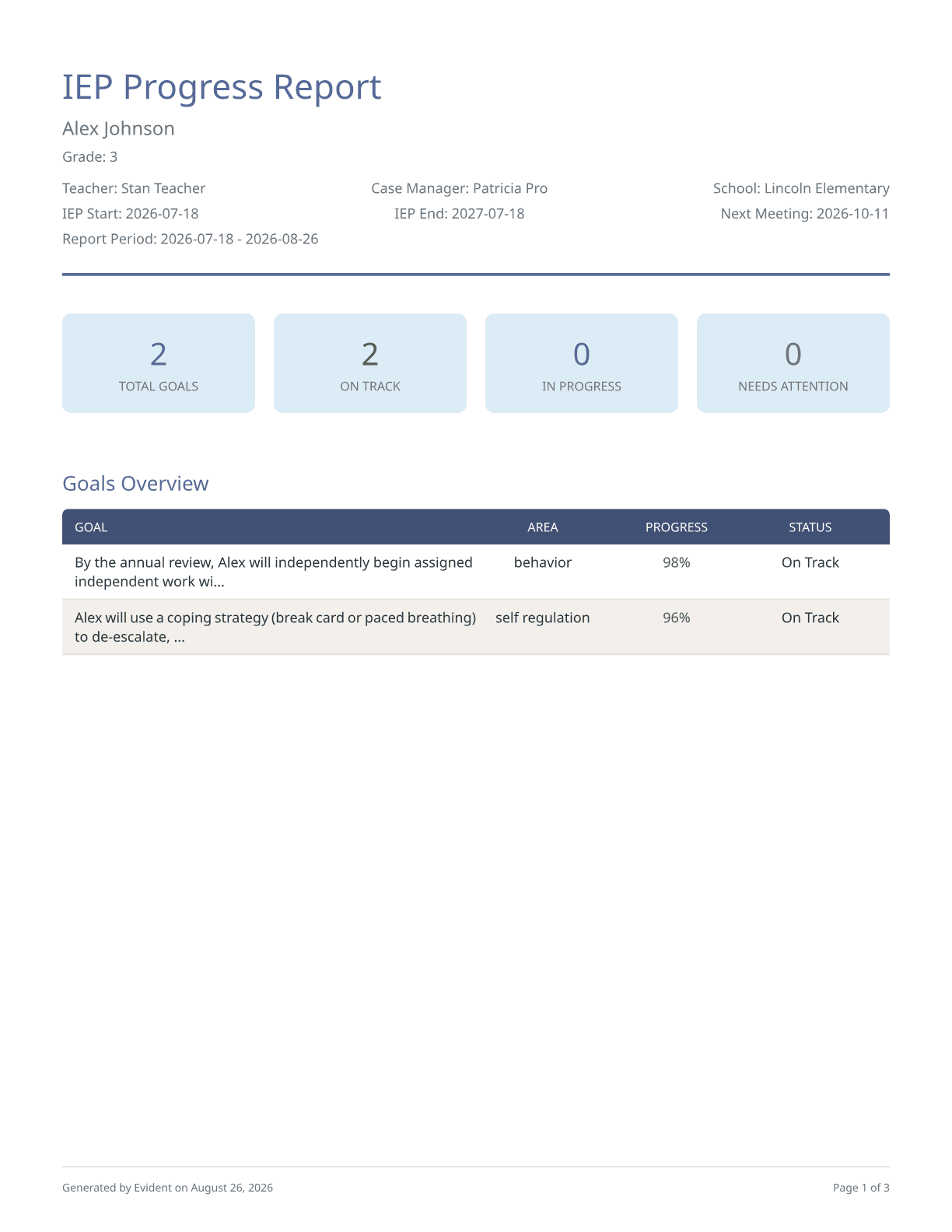
A product-generated export using illustrative data.
Can we track all five IEP measurement types?
Yes: binary, frequency, duration, trial-based, and interval recording, with baselines and targets per goal.
What does the PDF report include?
Cover page with student info and IEP dates, per-goal pages with trend charts, data tables, and a teacher-reviewed progress narrative, a plain-language family summary page with optional Spanish translation, behavior incident summary, and communication log.
How are the progress narratives written?
AI drafts each goal's narrative from the recorded data only: data points with dates, trial accuracy, prompting levels, trend, and progress toward the annual target. Every number in a draft comes from the data, goals with too few data points are flagged instead of narrated, and the teacher reviews and can edit every word before it appears in the report, which notes it was AI-drafted and teacher-reviewed. Student names are replaced with a placeholder before anything reaches the AI provider, and schools can turn the feature off entirely.
Who can see private case-manager notes?
Notes are private by default. Only staff with appropriate roles see them; family-visible notes require explicit publication.
What happens when a teacher leaves?
Student records, goals, logs, and evidence stay attached to the student. Ownership transfers to another teacher in the organization with one click.
The daily tools that feed this evidence
Browse the teacher-facing charts and logs that quietly generate this evidence workflow, without starting from scratch.
Open related teacher toolWalk into the next review with the record already built.
Generate your first packet from the daily notes your teachers can keep current.
No credit card · your first packet in minutes.