Mark each goal each day. Keep every mark.
Track student goals. See progress over time.
Keep daily marks and notes together, review progress with your team, and share updates families can read. Free for a class of 30.

Track goals, not points
The daily routine you already do on paper. What changes is everything after school.
One tap per goal, per day.
Mark each goal met or not yet from the roster, the student, or the quick log, with a note home if you like. Use Batch Log to record a class in one pass.
01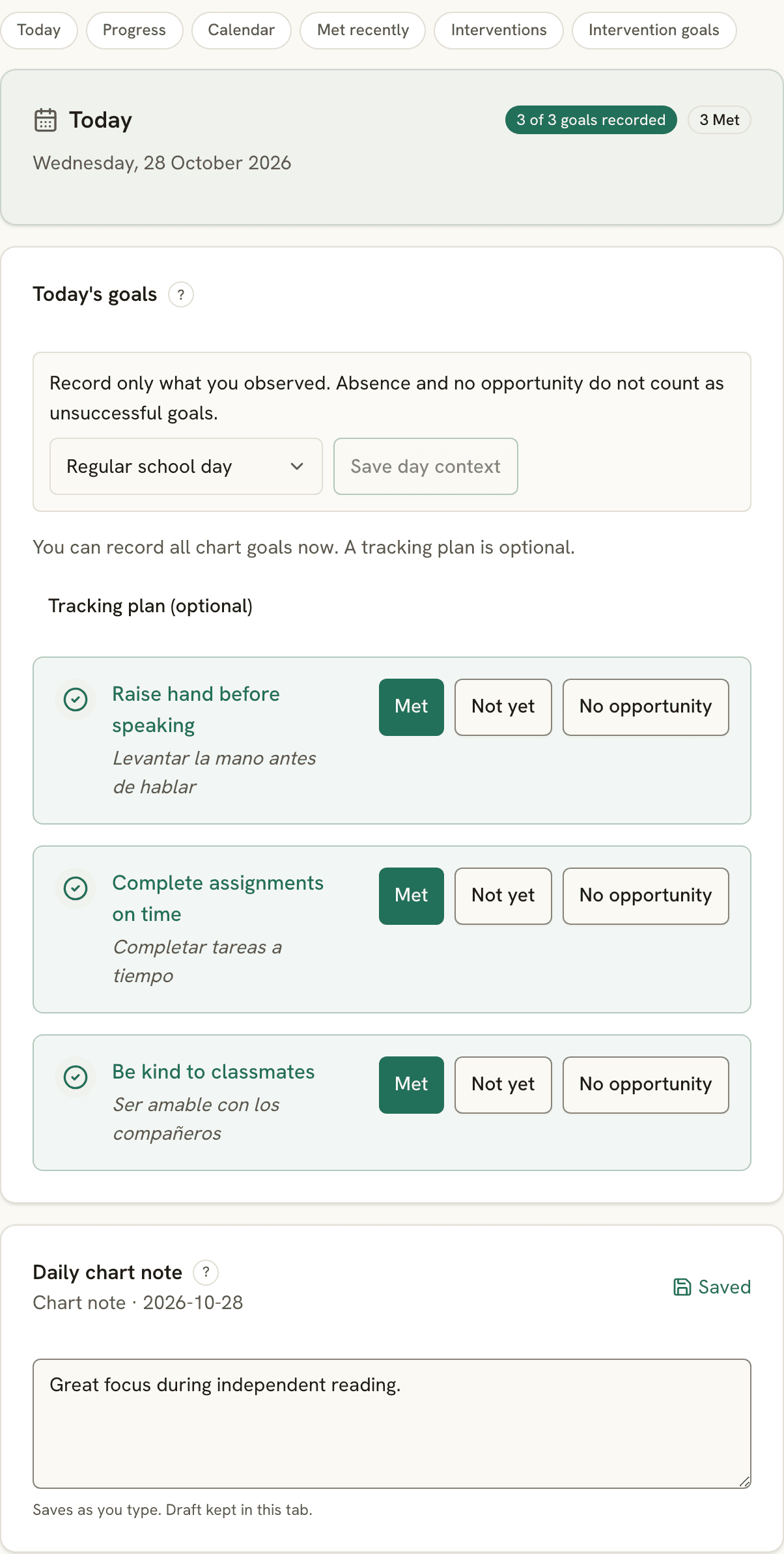
Bring the pattern to the conversation.
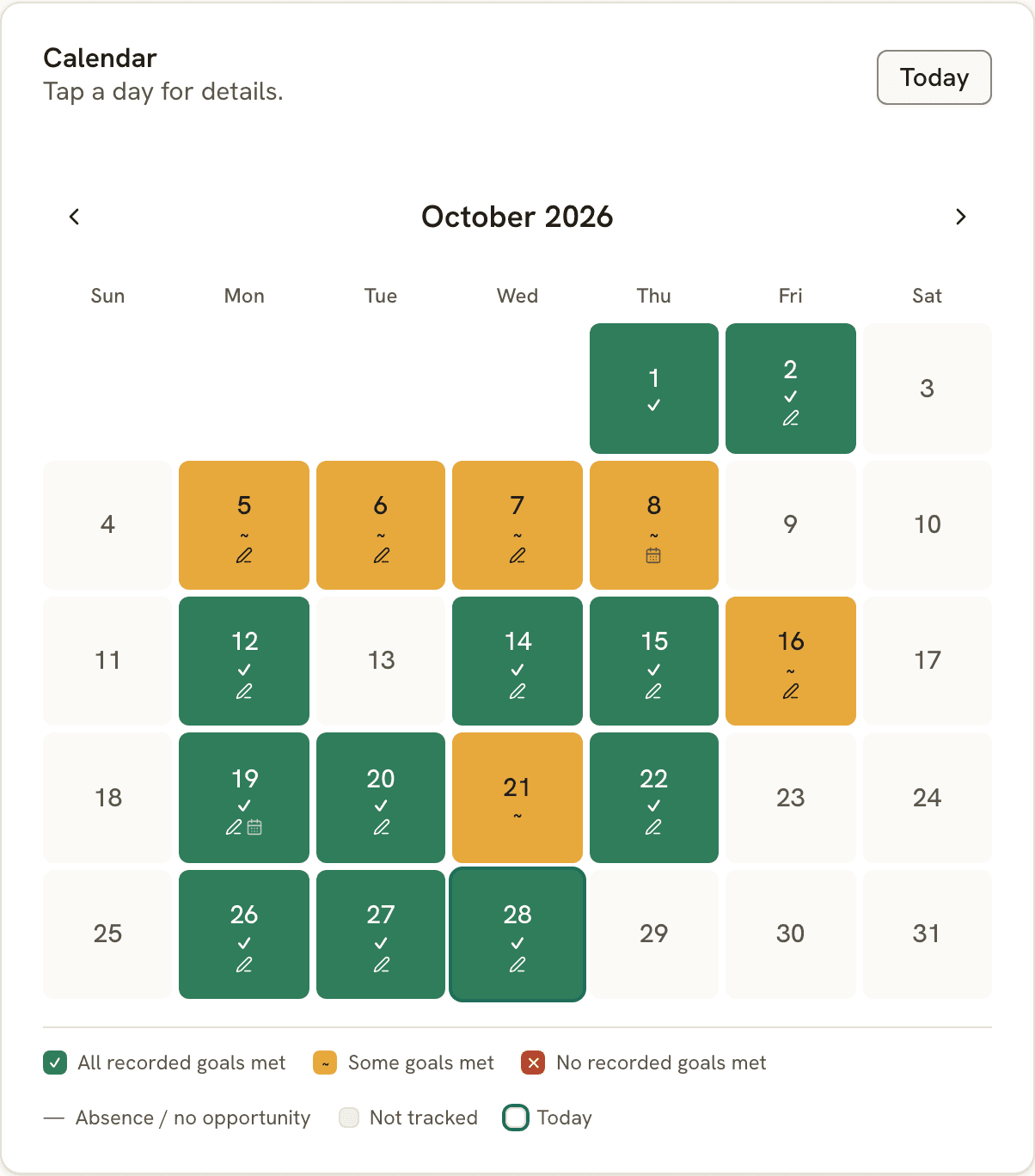
“Is it working?” Each student's last 30 days, with the latest week against the week before. A missing checkoff is never counted as a zero.
02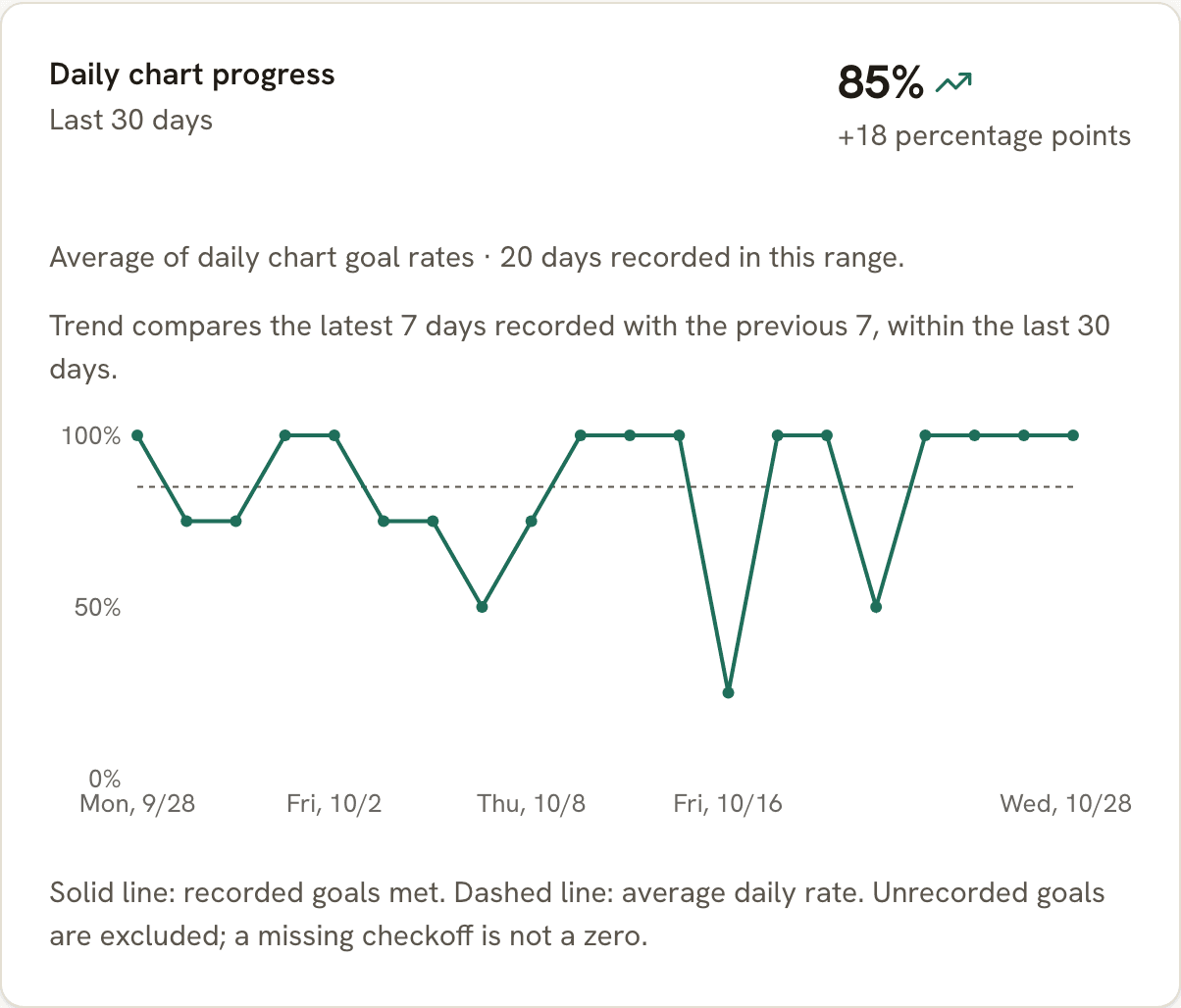
The family follows along. The marks become evidence.
Families see the week by link or QR code, in their language, no app. Six weeks of marks is six weeks of dated data, ready for a progress report.
03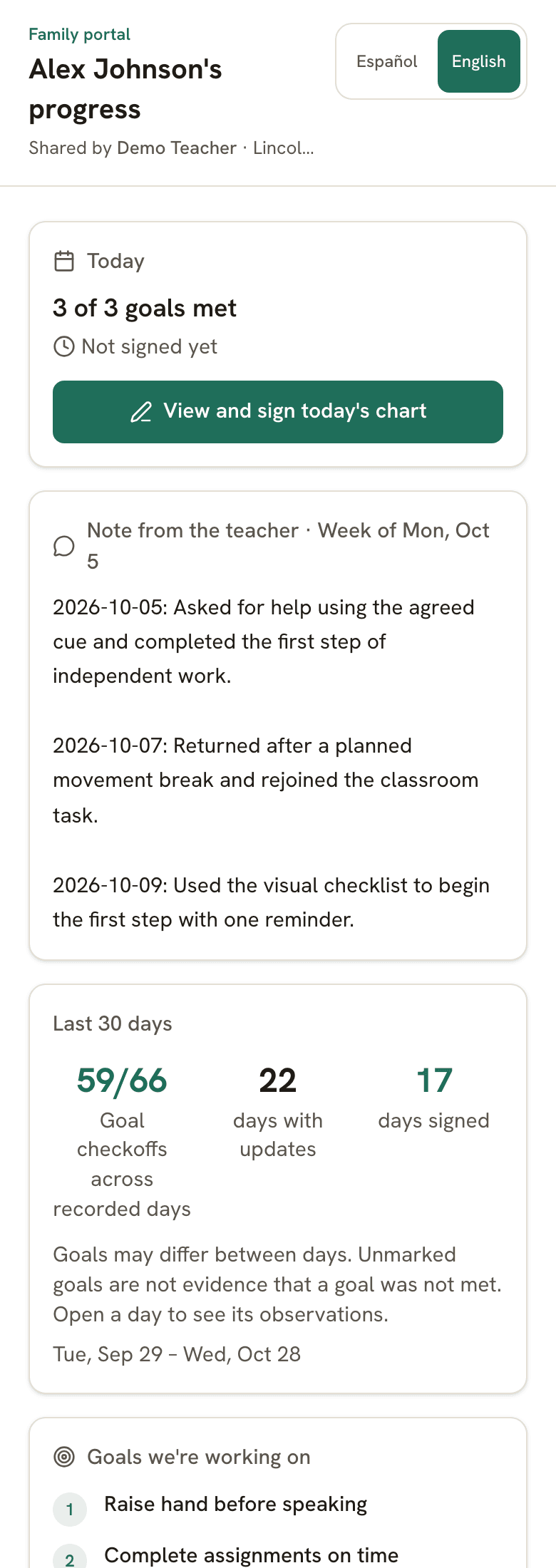

Spreadsheet, points app, or goal tracker?
All three are free to start. They differ in what you have at the end of the quarter.
| What you get | Spreadsheet | Points app | Evident tracker |
|---|---|---|---|
| What it records | Whatever you type in the cell | Points given or taken, then reset | Dated marks for each goal, kept |
| Trend over weeks | Build a formula and a chart | History depends on the app and settings | 30-day trend and calendar per student |
| Whole class | One tab per student | Leaderboard | Today's roster, no ranking |
| Family view | Share the file | Family installs the app | Link or QR code, no app, sign-off |
| Translation | Copy into a translator | Some languages, in-app | 28 languages, one click |
| Meeting evidence | Export and reformat | Point totals | Dated marks become a progress report |
Want the chart on paper first? The free chart maker makes one in two minutes, the printable library has a ready-made chart for 152 goals, and the digital goal & progress chart page shows one student's tracked chart.
Check-in/check-out, ready to track
Pick goals and a reward, print it for the student, and track it online for up to 30 students free.
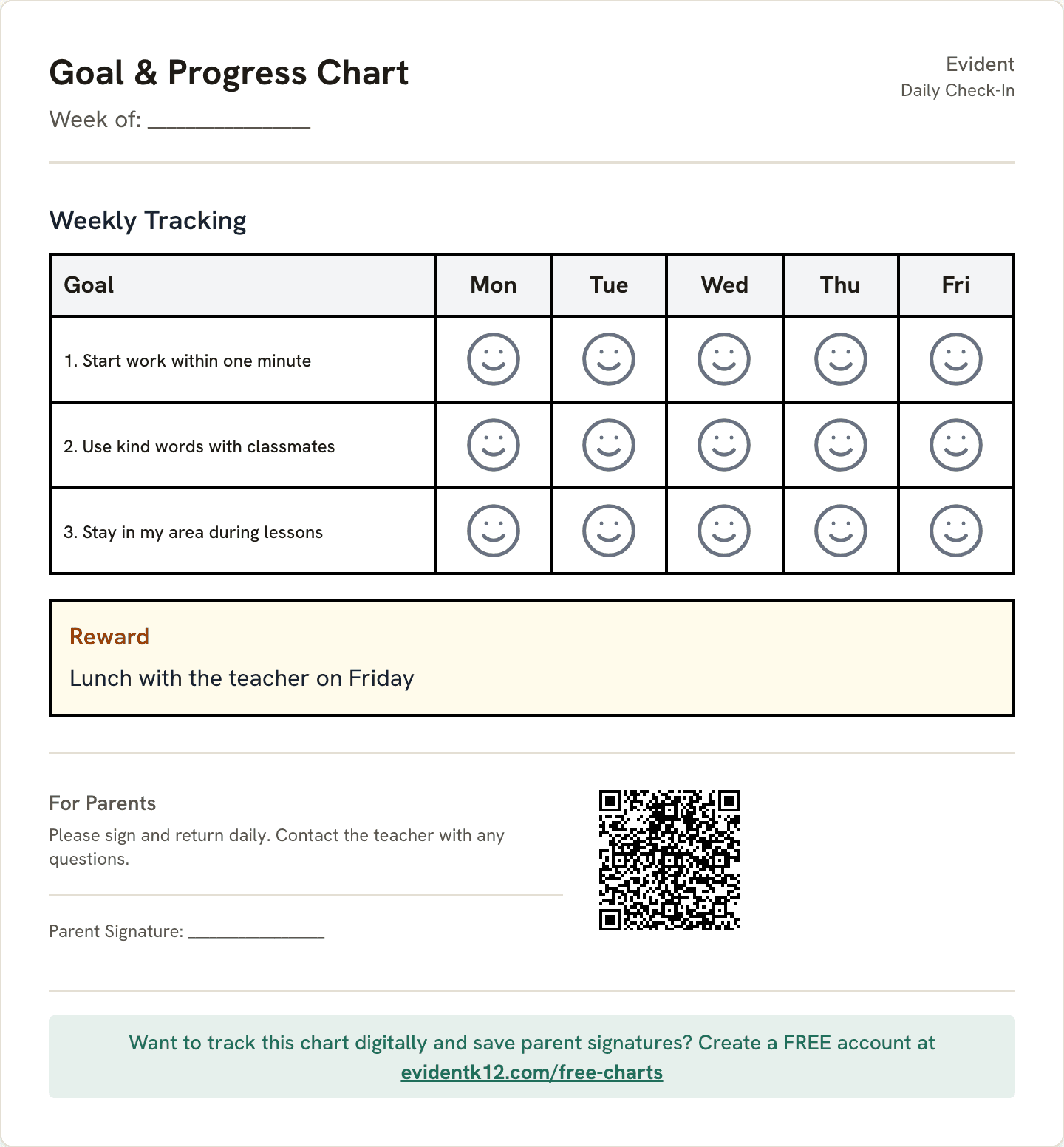
Daily Check-In
The classic CICO card: three to five goals and a face to circle each day, reviewed at check-out and sent home.
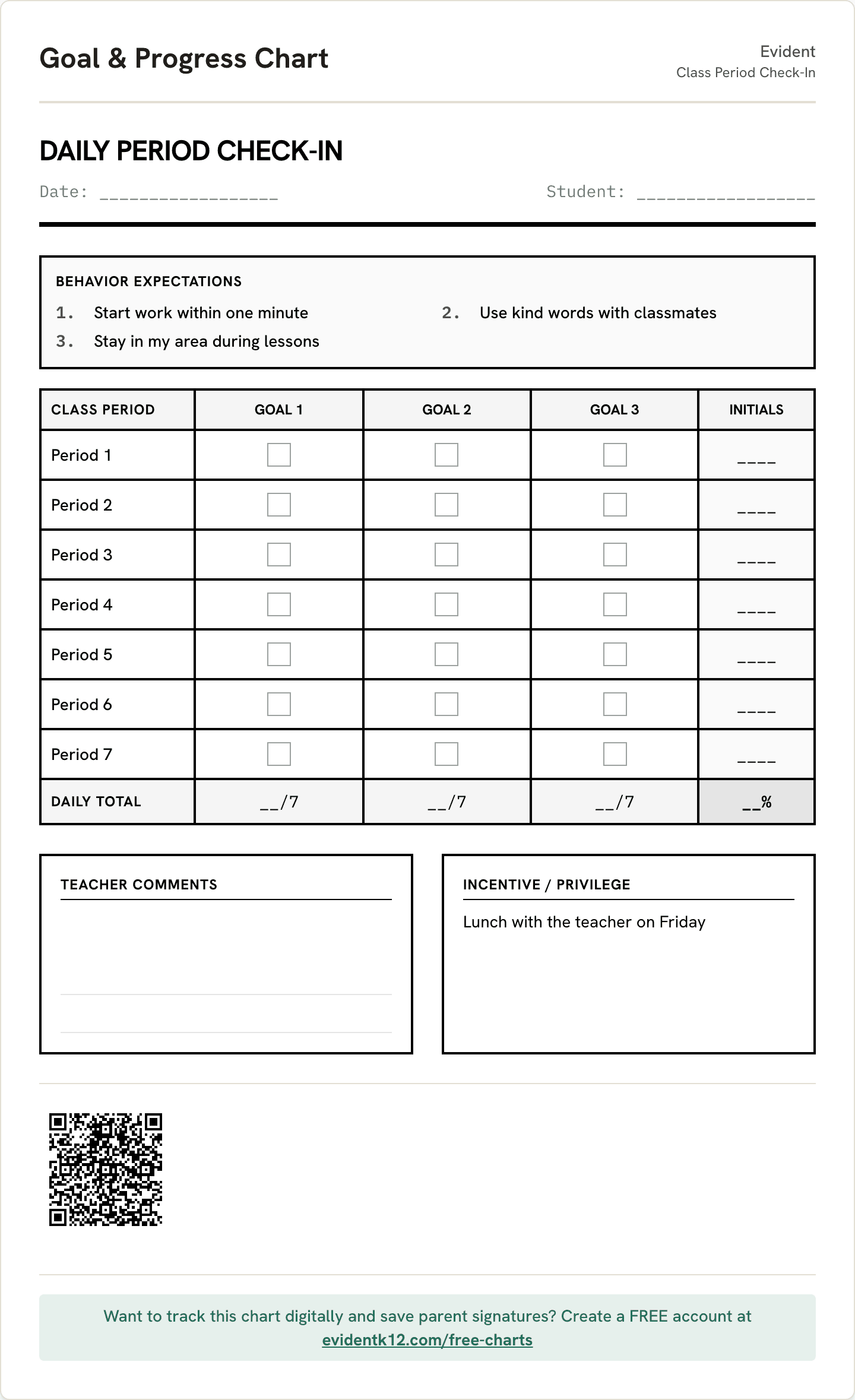
Build and track it →Class Period Check-In
One row per class period with a box for each teacher's initials, for students who change rooms through the day.
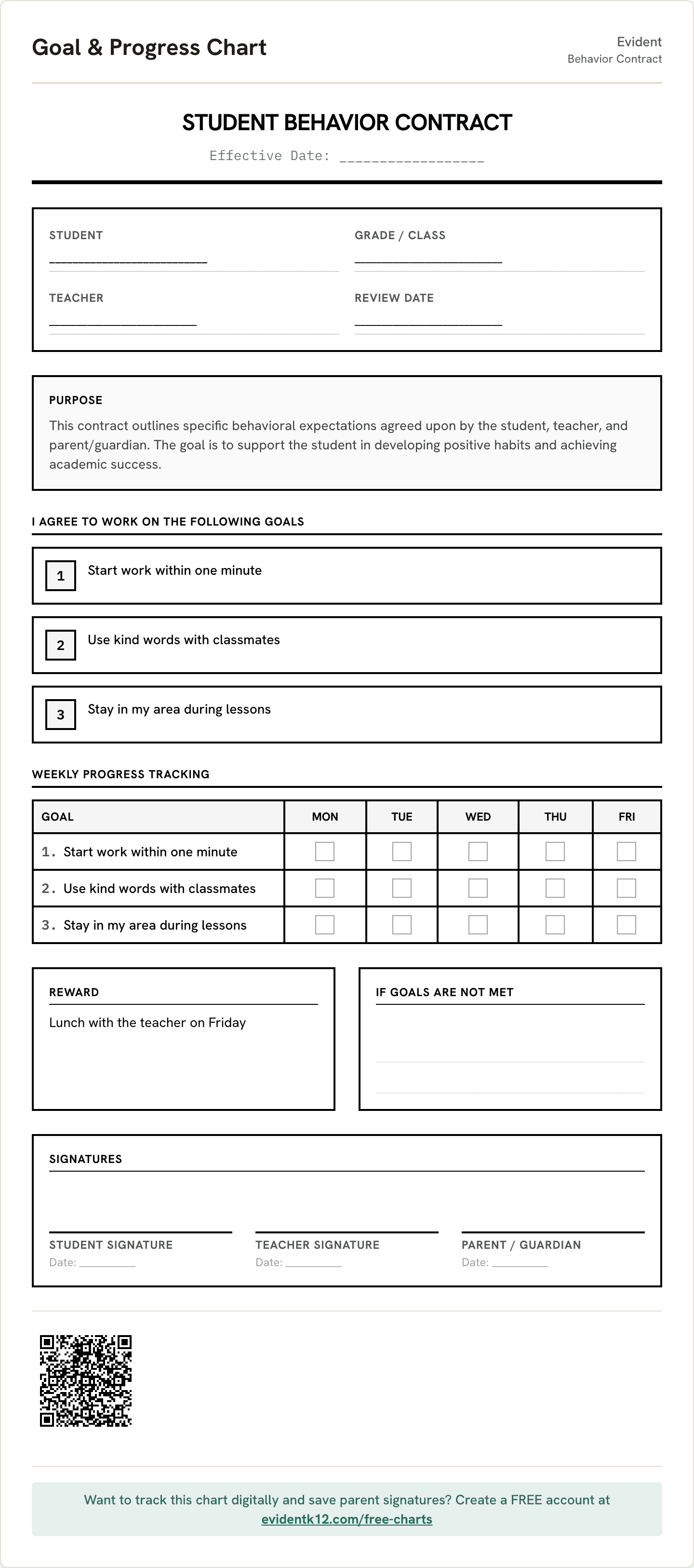
Build and track it →Behavior Contract
Measurable goals, the reward the student chose, and signature lines for the student, teacher, and family.
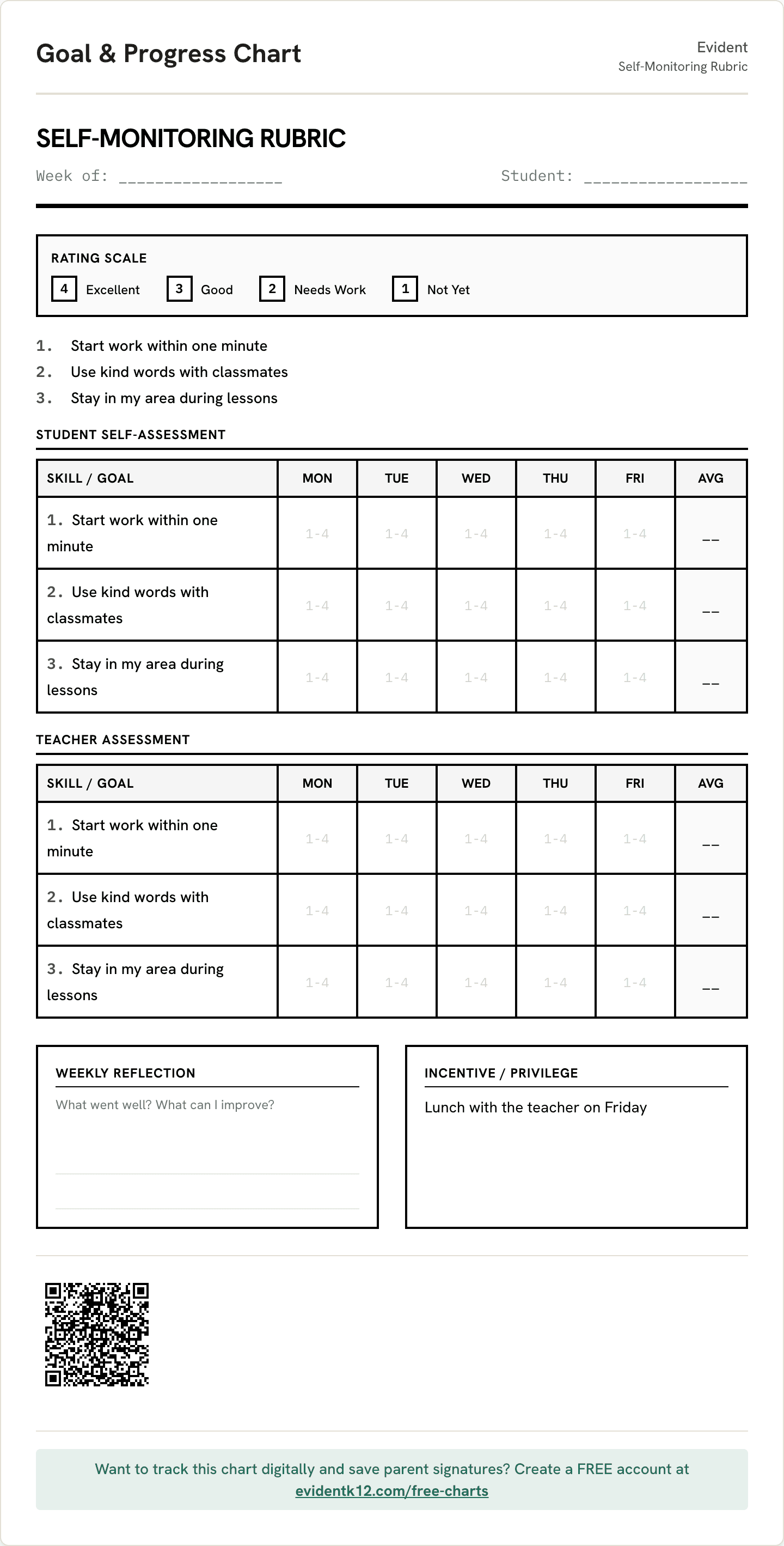
Build and track it →Self-Monitoring Rubric
Student and teacher rate the same skills from 1 to 4 on their own, then compare. Good for older students building independence.
Build and track it →
When the behavior is heading toward a plan, the free ABC data sheet records what happens before and after, and the BIP draft builder turns what the team found into a one-page draft.
Start with goals teachers track
Write your own, or pick from 152 goals across PBIS, routines, self-regulation, social skills, executive function, andILP-aligned categories.
- Raise hand before speaking
- Stay seated during instruction
- Follow directions the first time given
- Use kind words and actions
- Complete assignments on time
- Stay on task during independent work
- Use calming strategies when upset
- Transition between subjects smoothly
- Ask for help when needed
- Keep hands, feet, and objects to self
Common questions
What is a student behavior tracker?
A tool that records a student's behavior goals day by day and keeps the record so the pattern is visible over time. The teacher marks each goal Met or Not yet; the tracker keeps the history and shows the trend. Unlike a paper chart, the marks are data points, so nothing has to be tallied or re-entered later.
Is the behavior tracker free for teachers?
Yes. The free plan covers a class of up to 30 students with daily logging, the trend and history, printable charts, translated family updates, and the family portal. No credit card and no expiry. Your first PDF report or meeting packet is free. Pro or a school plan adds ongoing exports.
Can I track the whole class, not just one student?
Yes. Today's roster shows every student with a chart, what was logged, who still needs a log, and which days the family signed.
How is this different from a points app like ClassDojo?
Points apps focus on recognition and classroom routines. Evident keeps dated marks for individual goals, so your team can review progress at an intervention check-in, conference, or meeting. There is no public leaderboard; the family sees their own child's chart.
How is it different from a behavior tracking spreadsheet?
A spreadsheet can hold marks and graphs. Evident also connects those entries to a student record, family updates, translated charts, and reports. Authorized teammates can contribute to the record without maintaining separate copies.
Does it work on a Chromebook or a phone?
Yes. Evident runs in the browser on a Chromebook or a phone, works offline, and syncs when you reconnect.
Can families see the tracker?
Yes. Families open their child's chart through a private link or the QR code on the printed sheet, in their own language (any of 28), and sign off digitally. Nothing to install, no account.
Is student data handled responsibly?
Student records are encrypted, never sold, and never used to train AI. Families see the updates staff choose to share. Staff notes are restricted to authorized staff, and a signed data processing agreement is available for school review.
Track your class this week.
Free for up to 30 students, no credit card. Your first PDF report is free; Pro or a school plan adds ongoing exports.